Mounting the Raspberry Pi Tablet

On the top right corner of the main frame there are two screws protruding through the plastic sides. At first we thought they had just worked themselves loose, as had about a half dozen screws during shipment. They are actually the screws for attaching the Raspberry Pi.
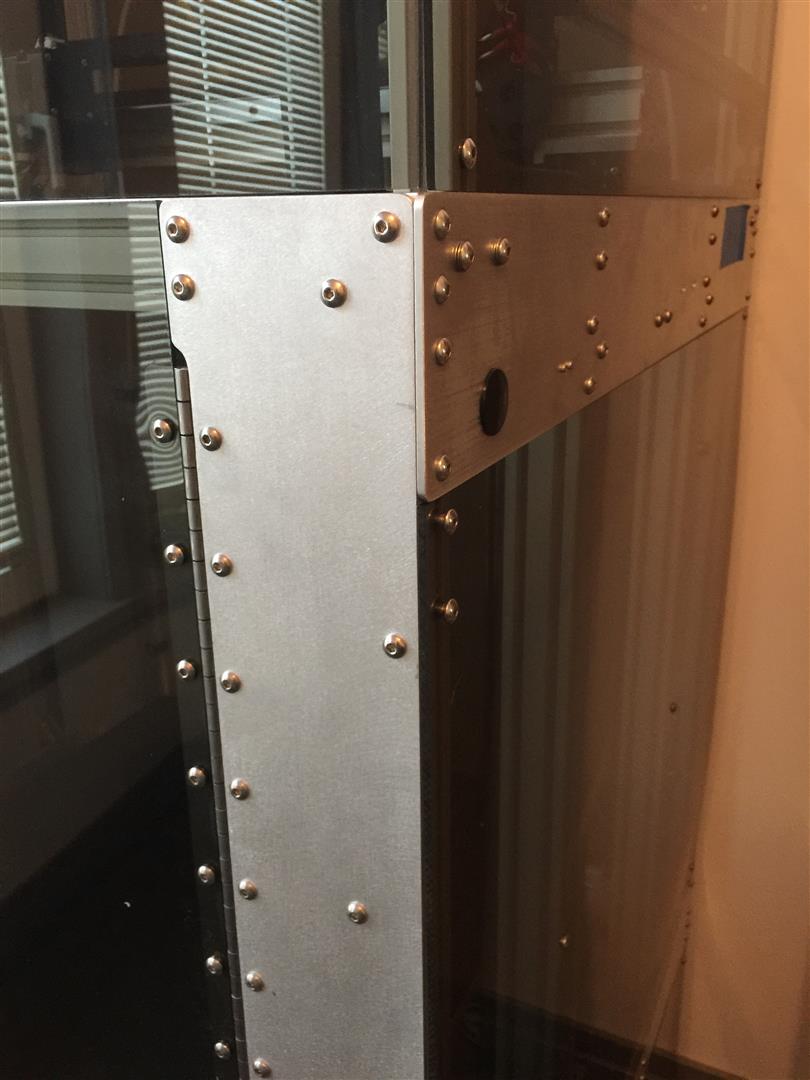
I'm not convinced this is the best and safest location for the tablet, but it works for now until we can think of something better to do with it.


Our printed tablet housing broke during transit so we have to be pretty careful adjusting it, and it might pay to beefed up a bit as the area that broke is a bit light.

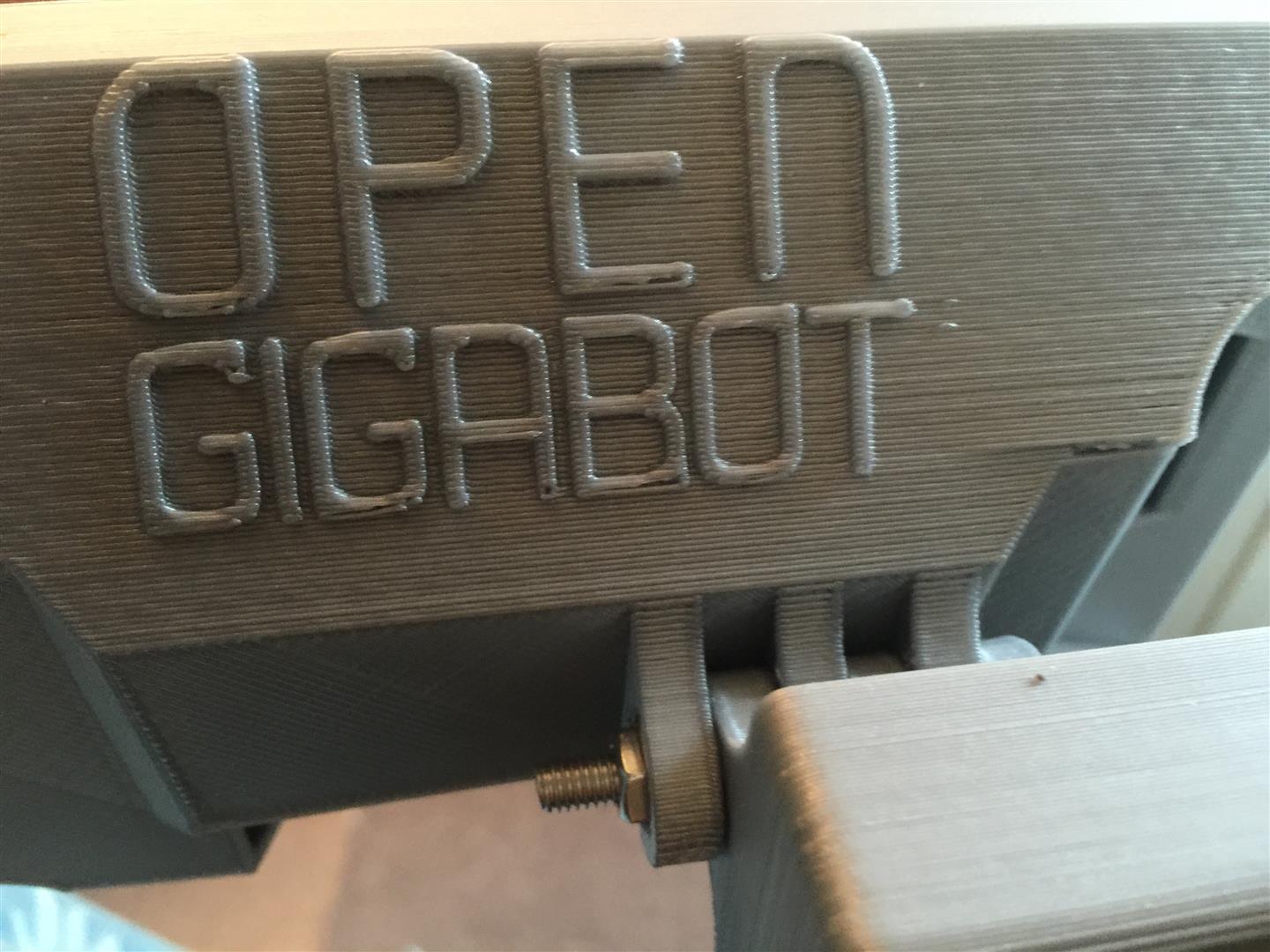
Overall its a nice looking housing, and along with all of the other 3D printed parts on Open GB a nice testament to the print quality we can look forward too.

I'm kind of surprised they didn't incorporate the re:3D logo here... lettering isn't quite as perfect as it could be perhaps, but I'm too new to 3D printing to know if that can be improved upon. I suspect slowing down while printing the logo would help.
-

Thanks for posting this! I just unpacked my opengb and was a little confused about where the tablet was designed to be mounted.
0 -
Glad to hear that it helped!
I also found that the bracket that bolts to the machine was assembled backwards, which I think I mentioned in another post, so check for that.I find user forums like this invaluable.
0 -
This forum is indeed very helpful, especially when the documentation is still in process! If you don't mind, I also have a few questions.
Are you plugging a micro-usb cable into the RazPi for power, and is that connected to the OpenGB unit, or to a wall outlet? Also, which port do you have the usb cable from the motherboard plugged into? Oh, and where are you routing the cables back into the machine?
I'm trying to be patient and not power on my unit until I know I've got everything connected properly... patience is hard! haha
0 -
Oh wait, never mind about the power supply. I just found the wall outlet adapter in one of the boxes so that answers that question!
0 -
I suggested that in the future a convenience plug inside the Open GB to plug that adapter into would be a nice feature. The unit is so beautiful it seems kind of tacky to run an ad hoc adapter externally to a separate wall socket LOL
It shouldn't matter which port you plug the USB cable into on the Raspberry PI, they should all be the same.
Patience is difficult sometimes :)
0 -
I should perhaps mention that the software on my Raspberry Pi was out of date, so I need to update it when I get a chance. Too many things going on unfortunately so I might not get that done till tomorrow night... but ask Katy about it perhaps...
0 -
Ah thanks! And yeah, I'm just going to focus on getting the machine going and worry about any software updates later. Going to be a bit of learning curve for me since I've never really used Linux before. It's sort of nuts that we have a full OS at our disposal on the OpenGB. When I got the machine unwrapped, it just looked so awesome that I felt really lucky to be a part of this kickstarter campaign. I got my gen 1 gigabot through the first campaign which was also amazing, but this is on a whole other level as far as fit and finish and features.
0 -
The overall fit and finish of Open GB is really amazing. Let me know how things are progressing. The software upgrade had been suggested as a possible fix to allow me to do my first print... looking forward to hopefully doing so soon :)
0 -
When you say software update, are you talking about the OpenGB app, or the Linux install? Katy had me install the latest version of the OGB app but I haven't looked into updating the operating system.
I set out to get some sample prints going today but ran into a snag when I tried to extrude. After a couple seconds of extrusion, the extruder started skipping like you night see when you get a filament jam, or clog. I took the hot end off to see if there was a clog but couldn't find anything. Then I tried the second extruder and the same thing happened. I'm using the OpenGB app so I don't know if there's an error with its default extrusion settings or something. It seemed like it could possibly be the filament feeding in too quickly and causing a backup of plastic but I don't know.
Can you extrude from the OpenGB app without skipping?
Tomorrow I'm going to get the bed level and run a test print. If I can successfully print, then Ill know if it's an issue with the app.
0 -
I suppose I could try using pronterface to test as well since I can control extruder speed with it. Will have to try that tomorrow too.
0 -
She had me update the OpenGB app, although it doesn't appear any different on the surface nor did it resolve my concerns. Kind of hoping tomorrow I might get some time away from work to do more trouble shooting, and get feedback from them on the email I sent tonight.
Updating the OS is generally nice but shouldn't really make much difference to something like this... for what its worth I put up a guide on how to connect to your Tablet via SSH from your workstation or laptop.
If you connect via SSH then the OS usdate is just two simple commands:
apt-get update
apt-get upgrade
0 -
Alternately, if you want do that from the local console, if you close or minimize the browser that has the OpenGB app in it, there is a Terminal Console icon at the top - it looks like a black monitor screen - click on that and it opens a window
Run the above commands from there, but preface them with "sudo"
0 -
Oh that would definitely make the app update easier. I'll have to do that.
But have you been able to extrude normally using the app?
0 -
No. I can move the heads in X + Y and the bed in Z, and I can preheat both Extruders but nothing else so far. I can't preheat the bed either...
I fed the cable thru the tube and then figured perhaps I had to open the Extruder, and manually load it, but that didn't seem to help.
One of my questions to Katy and Support@re3d had been about the appearance of the OpenGB interface as mind didn't have as many icons as the one on the Software documentation web page... which was how we got talking about updating the OpenGB software.
0 -
I can't claim to be a Linux expert, but I've spent some time building and administering Debian boxes for backups and simple file servers, so I know the basics at least. Online help with Debian is pretty good as well.
0 -

Hey Micah for the app skipping I am not specifically sure the issues there but it is possible to run everything from pronterface. For more complicated setup and testing, while the app was being developed I used it and once I was sure everything was solid on the hardware side I would switch over to only the app.
0 -
Thanks Robert, that's good to know!
It seems weird that both extruders are exhibiting the same behavior. I've only experienced this sort of skipping when I get jams and clogs so I think I'm going to try running some gcode from Simplify3D through the app and see what happens.
0 -
I haven't seen a video, etc. of the filament loading so I really don't know what to expect. All I know is that more or less, nothing is happening with either extruder other than I can get them to warm up, which I have verified by touch.
From the description I've had it sounds like the gearmotor that drives the knurled wheels inside the extruder should be activated - but I don't know what is supposed to activate it.Sure we will get it sorted out but its rather hard being patient after waiting a year to get my machine LOL
0 -
Once the hot end is heated to the desired temperature if an extrude command is sent it should push plastic through the hot end. If is is not extruding I would highly suggest trying to run it off a computer with pronterface, that way it would be easy to determine if it is the application or the actual hardware
0 -
Think this thread makes a whole lot more sense being discussed in a new one, so moving the topic to:
https://re3d.zendesk.com/hc/en-us/community/posts/206642256-Commissioning-101-Pronterface
Please follow me there Robert. Thanks for your help by the way :)
0
Please sign in to leave a comment.
Comments
20 comments